Every AI thing I've done in front of clients has been business: workshops, decks, data pulled apart and put back together. That's what pays the bills, so that's where I usually point the tool.
But the fastest way to get better at something is to point it somewhere you have zero footing. No vocabulary, no instincts, no idea what the buttons do. So three weeks ago I picked the most foreign domain I could find and asked Claude Code to help me build a game.
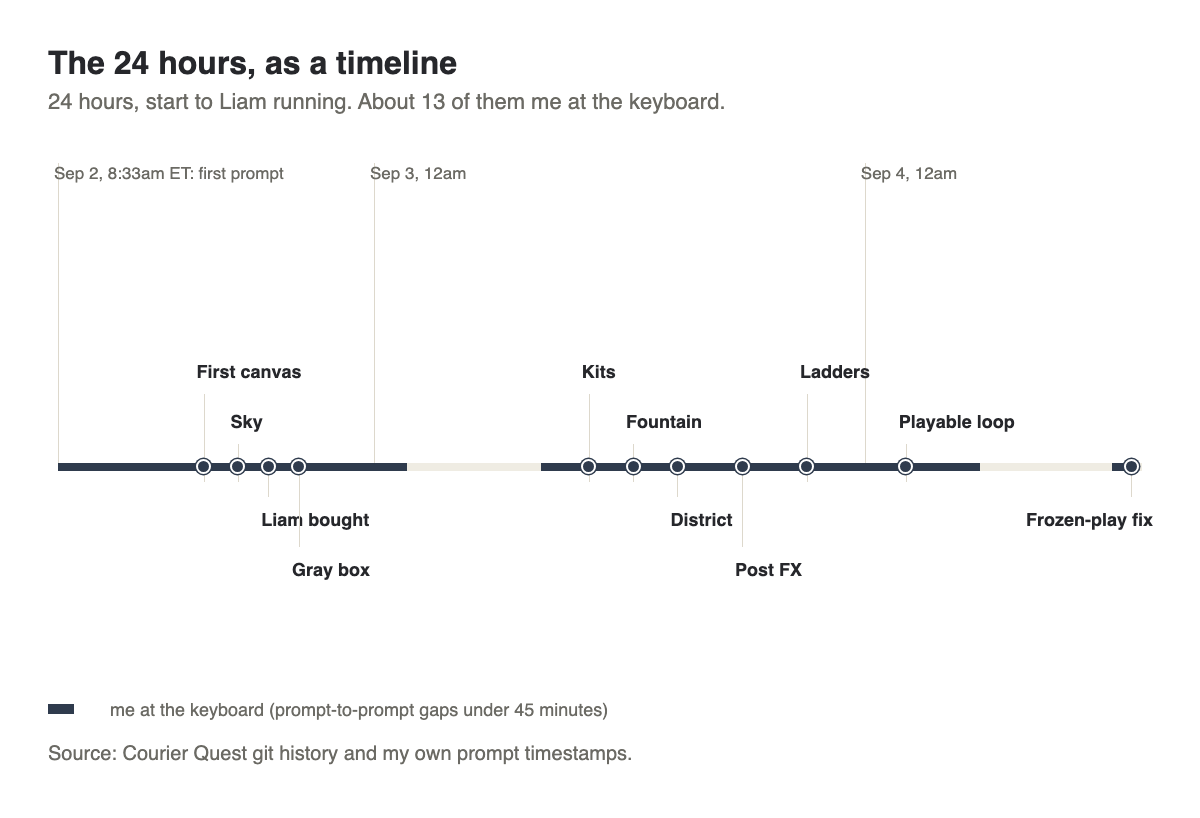
I'm not a gamer. I didn't grow up playing them. I couldn't have told you what a "draw call" was a month ago. This is the whole story: the pivots, the 20-point punch list, the fountain that turned out to be a file format from 2005, the Mac that overheated, the moment a single camera ray brought the frame rate down to 2.6 fps, and what it would have cost to hire a studio to do the same thing.
- Courier Quest: how a "3D Roblox-style exploration game" became a scored parkour delivery run, in under an hour of prompting, and what got built in the first 24 hours.
- The vocabulary I had to learn from zero: WebGPU, gray boxes, rigs, UV mapping, and why I didn't use Unreal Engine.
- What a studio would have billed for the same slice, next to what I actually spent: $381.95, all in.
I don't play video games. I can't tell you the difference between a JRPG and a roguelike, and three weeks ago I would have guessed "gray box" was a shipping term. Everything I've used Claude for until now has been business: client decks, ad account audits, workshop material. All inside a domain I already knew cold.
So I picked the domain I knew the least about on earth, and asked Claude Code to help me build a game with my kids in mind. Here's what happened, warts included.
I'd like to build an advanced game that will work for 3 of my children... I don't have all
the details of the gameplay worked out, so I'm going to ask you to workshop those ideas with
me... I'm not a gamer, and I can't name the technologies that are used, but you're going to
go out and research and come back to me with the latest, most common, most foundational
technologies that we're going to have to program this game in... Nothing is off-limits. I
want to push limits, so let's enter into the planning phase now.
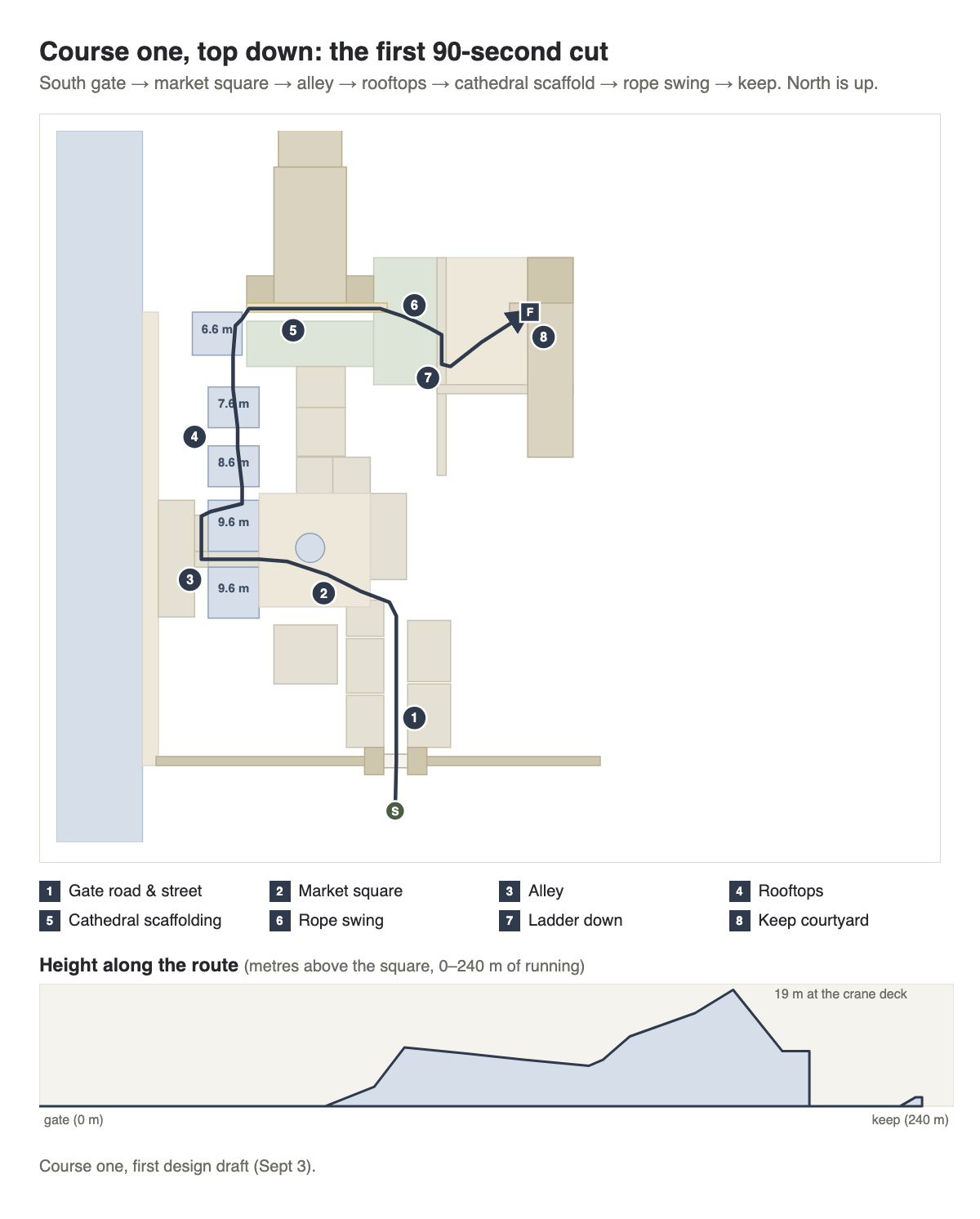
That was the whole opening move, typed at 8:33 AM ET on a Wednesday. Here's where it landed. A browser-based 3D parkour game called Courier Quest, set in one finished corner of a medieval town called Castellane. A courier character named Liam runs, jumps, slides, and climbs through it. A scoring run with quiz gates blocks your path until you answer correctly.

1. Learning the words
Before any of that, I needed vocabulary I didn't have. A "game engine" is the software that turns a description of a world (these are walls, this is a character, this is gravity) into pixels on a screen 60 times a second. I'd heard of two: Unreal Engine, which makes the blockbuster-looking games, and Roblox, because my kids play it.
Claude's research put three options on the table: Unreal, Godot (a free, open-source engine), and the browser. It ruled Unreal out bluntly. Unreal has no browser export, and its levels live inside Unreal's own editor, built by clicking. Claude's words: "I verified whether Claude Code can build in it alone: it cannot, realistically." Godot was a real contender. The browser won on three things: Claude can write every piece of it as plain code, it can screenshot its own work and check it, and my kids play it by opening a link. No install.
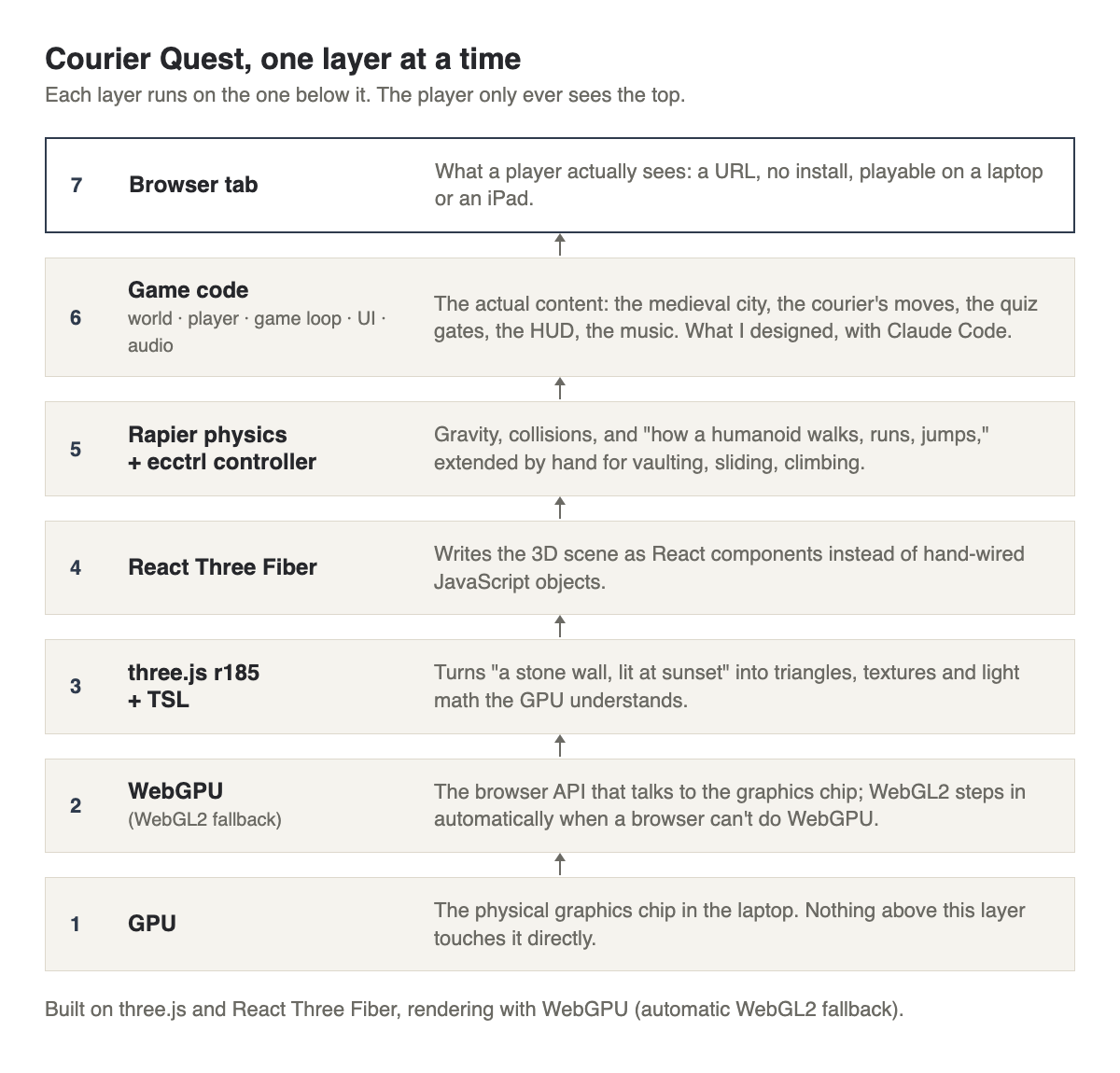
That meant a stack of new names. WebGPU is the modern system a browser uses to talk directly to your computer's graphics chip; it's what makes rich 3D possible in a browser tab instead of a downloaded app. Not every browser supports it yet, so the game also has a fallback called WebGL2: older, slower, more widely supported. three.js is the free, open-source library that does the 3D math: turning "put a stone wall here, lit at sunset" into triangles, textures, and light. React Three Fiber lets that 3D scene get written using React, the same web framework behind most modern websites, instead of hand-wiring thousands of objects. Rapier is the physics engine underneath: a separate simulation that answers "what happens when two things collide" independent of how anything looks. ecctrl is a pre-built "how does a character walk and jump" library that stops there, so Claude built the parkour moves on top: sliding, rolling, climbing, a zipline.
The visual bar I picked was a real portfolio site, built by a solo developer named Bruno Simon in exactly this stack. I pasted his own "how I built this" page into Claude and asked it to read every link. Claude had also sent me example worlds built the simpler way. My verdict on those: "The option1 worlds look very crude and lack any real texture. even sketchbook feels more alive and real." Not gentle. That became the bar.
One more thing came out of that first session: a request for a reference document listing every term in this field, organized so an AI agent under time pressure could scan it instead of guessing. "I want you to research every single one with as many sub-agents as needed... Dispatch 50 agents if needed." That became a 40-file internal glossary covering everything from cameras to shaders to physics, one file per topic, built so future sessions wouldn't get stuck reinventing vocabulary mid-build.


Eight words, in plain English, before you read further:
- WebGPU: the modern way a browser talks to your graphics chip.
- three.js: the free library that turns 3D descriptions into pixels.
- Gray box: a level built from plain gray blocks, no art yet, just testing layout.
- Draw call: one "draw this" instruction to the graphics chip. Too many slows things down.
- PBR texture: a texture describing how a real surface behaves under light: color, roughness, whether it's metal.
- Rig: the invisible skeleton of bones inside a character that lets it bend and move.
- Character controller: the code that turns a key press into a walk, run, or jump.
- Follow camera: a camera that automatically trails the character, no mouse needed.
2. The idea changed in an hour
My first pitch wasn't this game at all. I asked for a "3D Roblox-style" exploration game: flashlights, hidden artifacts, a rich open world my 11-year-old could wander through, finding things. Claude's first research pass took that literally and recommended something like a museum you explore after hours.
Twenty-two minutes later I'd talked myself out of it. "I don't think that we should be focused on an open-style world as the baseline. I think the idea is there's a game, there's an objective, and there's a challenge... Just randomly exploring a world to find a room or to find an artifact... is not the point here." I floated a driving game in the spirit of Crazy Taxi, then in the same message pivoted again: "Let's actually do Gauntlet... a person has to get this backpack to a certain destination on time." A parkour delivery run, timed, scored, with quiz gates blocking the path until you answer correctly.
That became the actual spine of the game: a courier has to get a package across town before the clock runs out. Locked gates and broken bridges block the direct route. Answer a question correctly (right now, multiple choice; the plan is to support typed answers later, for vocabulary drills) and the gate opens, or the bridge completes, or a shortcut appears. Miss it, and you keep going the long way, or the clock pauses against you for a few seconds. The timer counts up instead of down, because beating your own best time is a cleaner hook than watching a countdown.
3. Gray box, then first light
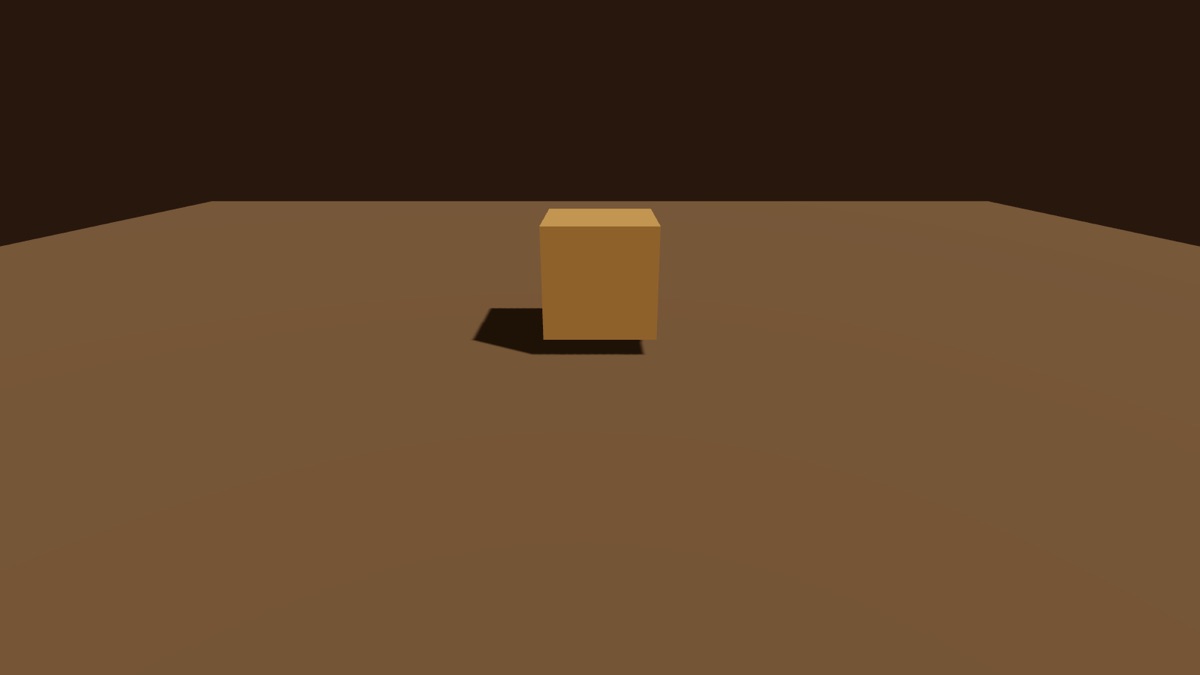
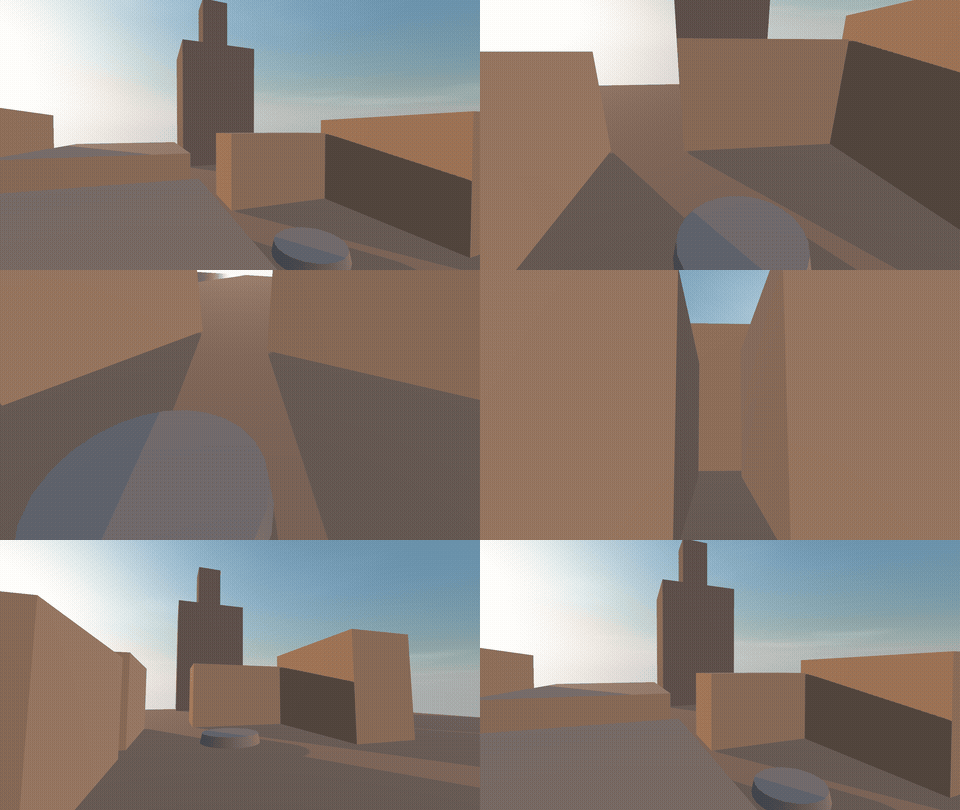
Standard game development starts with a gray box (see the glossary above). I didn't want that as my first look. "i dont want to see light on grey blocks as first pass, unless you think that is the correct move."
The gray box happened anyway, as a calibration step. Claude used plain blocks to aim the sun and tune the shadows before any art went in. The goal I'd set was a small, fully dressed corner of town called "Castellane Corner," with the look, the light, and the feel nailed on one piece before building anything bigger.
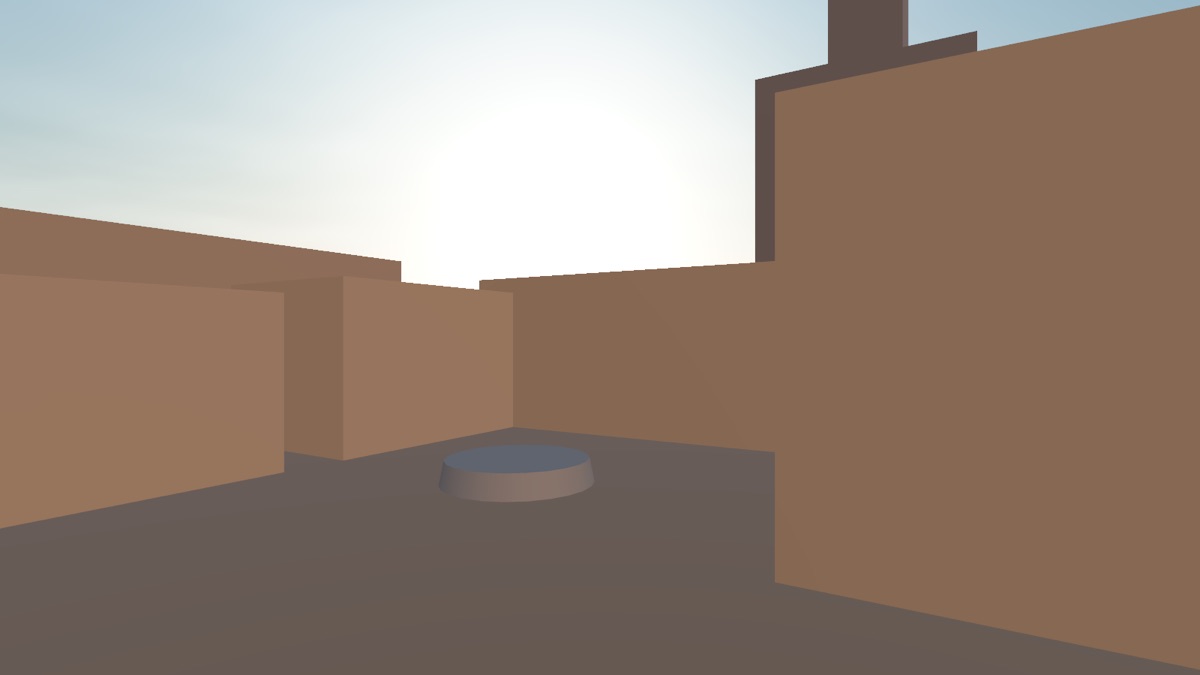
The first thing I saw, around 4 PM, was a test disk under a sky with a panel of sliders. My full review: "im seeing it now ... the circular disk and the controls." Over the next few hours came a sky and sun driven by a single elevation angle, then shadows. Then HDRI lighting (a 360-degree photo of a real sky, used to light the scene the way an actual sky would). Then the first kit pieces (purchased, pre-built walls, roofs, and props) got assembled into an actual square.
There's no video anywhere of that block-by-block progression. I asked for it afterward, calling it "the grey box flyover," certain I remembered one. Claude searched the whole project and every session log and found nothing: it had never existed. So for this post, Claude went back into the project history, rebuilt the early versions one by one, and filmed the flyover I remembered.

4. Buying a world ($181.95 and counting)
None of the buildings, trees, or the courier himself came from scratch. An asset store is exactly what it sounds like: a marketplace where other artists sell pre-built 3D models. Same idea as a stock photo site, but for 3D geometry instead of pictures.
The courier's name is Liam: a purchased character, rigged (that skeleton of bones again) with 107 bones following a standard naming convention. He shipped with 17 animation clips and 52 facial expression shapes I haven't used yet, arriving as a set of files, not a finished game asset. Getting him into the game meant reading his internal structure with code before trusting anything the store listing claimed.
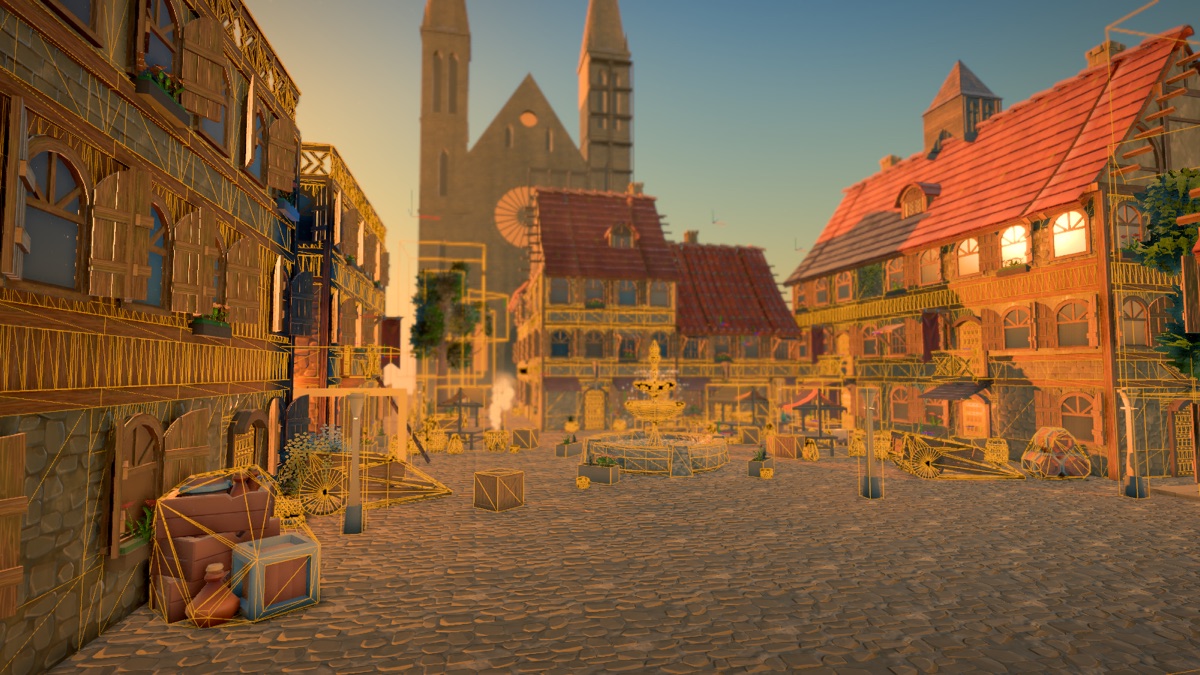
Before any purchased file gets near the actual game, it goes through an inspection. Unpack it, log every mesh and texture and bone, load it in isolation on a test page, write up what's actually there. Only then does it get wired in. That discipline caught real problems. The fountain, a $24 purchase from a 3D marketplace, turned out to be exported in a file format from around 2005. The game's loading code couldn't even open it. The fix was to fall back to a different file format bundled in the same purchase. A 20-building house pack had doors painted directly onto flat wall textures instead of modeled as actual openings, so a small script had to cut real rectangular holes through the walls before doors could work.
Two terms I'd never heard of a month ago. UV mapping is the process of "peeling" a 3D model's surface flat, the way you'd peel an orange and lay the skin out flat. That's what lets a 2D image get painted onto it accurately, before a purchased asset ever reaches this project. A texture atlas is one shared image holding many small textures. One free dungeon kit I downloaded paints all 203 of its pieces from a single image.
Then there's Blender, the free 3D modeling program most of these packs are made in. Liam even shipped with Blender source files. I spent an evening learning what it is. Then I learned I didn't need it. Blender was never installed. Claude did the inspecting and fixing with scripts instead, loading the raw files with three.js inside a Chrome window with no screen (a "headless" browser).


Total spent on assets: $181.95, across nine purchases (the full list is in the cost section below).
5. Light, texture, atmosphere
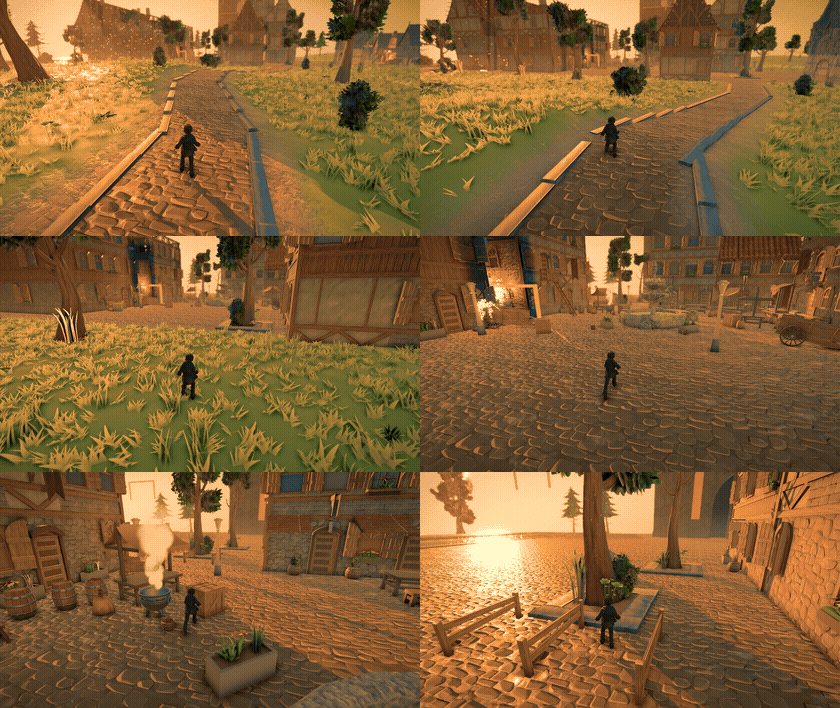
Getting the environment to look like something took more back-and-forth than the gameplay did. My note after the first pass, 20 items long, opened with "the entire scene looks too flat. I want more drama, more sun and shadow... more gold and bronze in the highlights." Golden hour, the warm, low-angle light near sunset, was the reference all along.
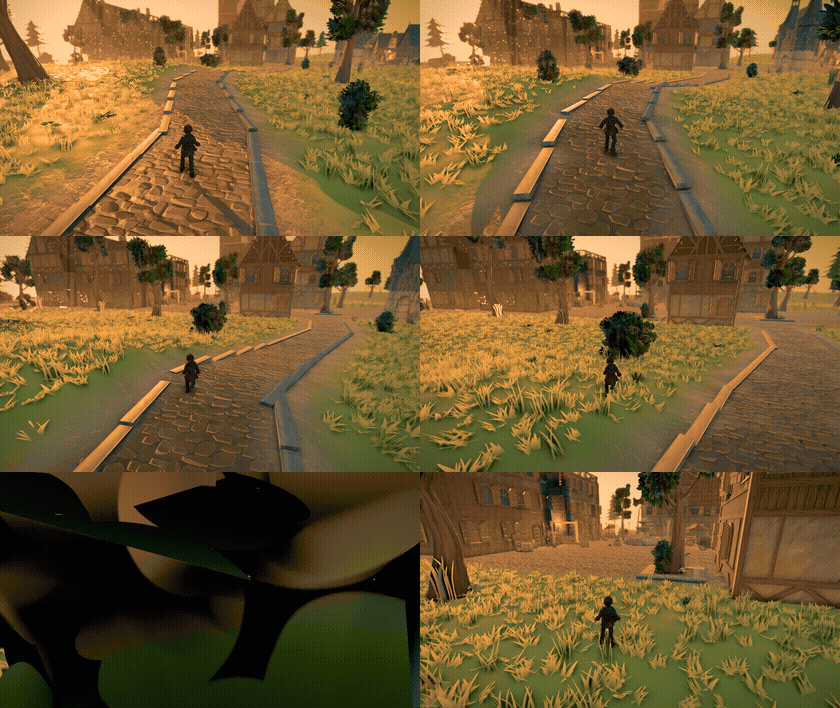
Ambient occlusion is a shading trick that darkens tight corners and crevices, the way real light doesn't reach into them; without it, everything looks like it's floating a few inches off the ground. Early on there was a grainy black smear under the courier's feet that turned out to be exactly this effect, tuned too aggressively. Smaller radius, added falloff, fixed.
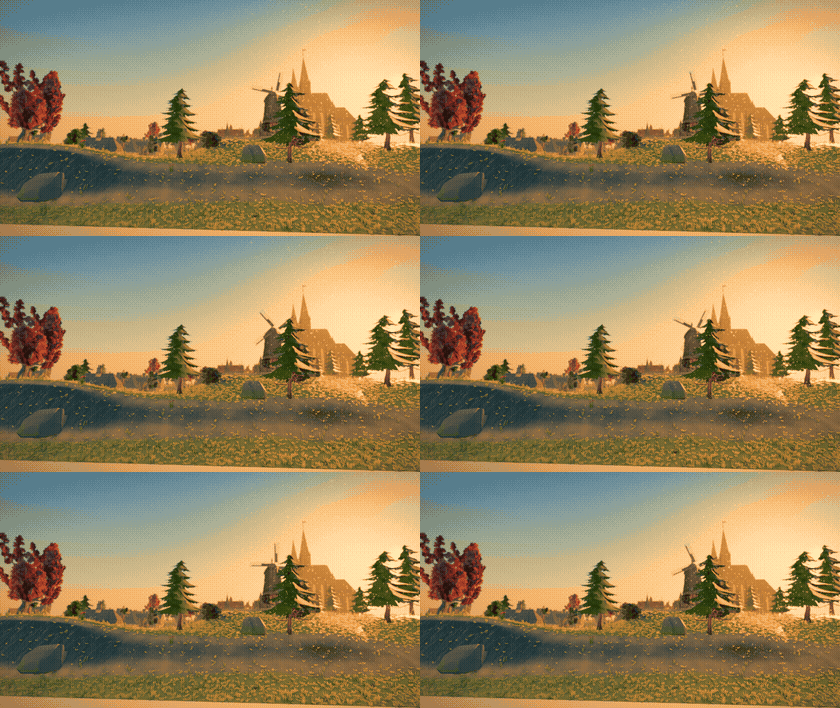
Cascaded shadow maps split the sun's shadow into zones: sharp detail close to the camera, blurrier detail far away, so detail isn't wasted where nobody's looking closely. Dust motes drifting through sunbeams got a specific note too: "dust motes too large, need more small in the sun." Fog, water, grass, and the sky layer on top, all generated in code instead of purchased, which made it the cheapest part of the whole world.


6. Movement and camera
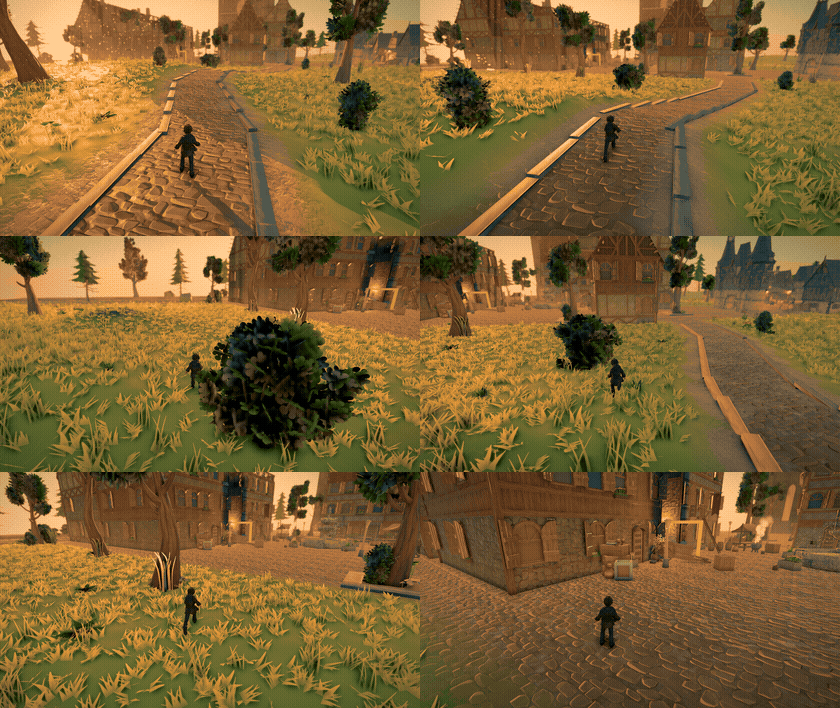
The character controller started as ecctrl. Claude added the parkour moves on top of it, one at a time: slide, roll, flip, ladder climb, zipline.
The jump had a real bug for a while: a single tap of the space bar barely registered, and only a fast double-tap produced a real jump. The fix flipped the mapping so a single tap is the normal jump and a fast double-tap now triggers an intentional bigger jump with a flip. The built-in climb, slide, and roll looked "pretty crude," so I told Claude to "find those motion libraries online and buy them." A $24.99 ladder pack went in the same night. A $34.99 rope pack is bought and waiting to be wired in.
The follow camera was a late request: "try a version where we have true follow along, with no mouse needed, jusst arrow keys and smooth camera motion as character turns so always above characters shoulder in same orientation." Building it correctly mattered more than it looked. That's its own story two sections down.

7. Gameplay and sound
The actual run: a timer counting up, a gate counter, a streak counter, a package the courier is visibly carrying. Quiz gates block the route. Villains stand at set points (for now, labeled placeholder capsules; the real characters come later). Footsteps change with the surface underfoot, stone or wood or grass, detected automatically.
The music is two layers: a quiet "standing still" version and a fuller "running" version. They crossfade based on whether the character is moving, instead of separate tracks that would restart audibly every time you stopped. It's CC0 (public domain, free to use for anything) music by an artist credited as Kounine, the same tracks Bruno Simon uses in his own portfolio.


8. The mess
Short, and funny in hindsight now that it's fixed.
Liam's eyes went solid black for an evening. The fix turned out to be the opposite of what looked obvious. His eyes are painted on, under a clear glass shell. An earlier pass had made the glass opaque, which covered the paint. Clear glass again, and he could see.
Five parallel tasks died at once to server overload during the heaviest stretch of building. The fix wasn't a clean restart: each one resumed from wherever its partial work had gotten to.
A dev-server browser tab froze and refused to close. "tab is still glitchy and not closing. Lets kill all these running devs." Around 11 PM, running several browsers and dev servers across two parallel sessions overheated the laptop. "I need to cool down the mac and free up ram, so anything your team is running, shut it all down." Six agents got killed mid-task. The rest of that night: no browsers, unit tests and type-checking only.
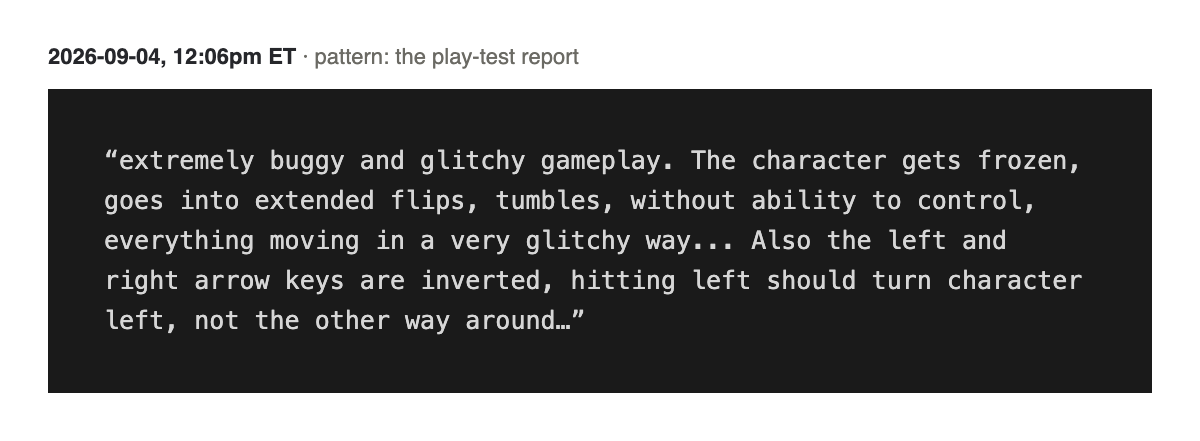
The worst bug looked like total chaos: the character froze mid-air, flipped uncontrollably, and the arrow keys turned out to be backwards. The actual cause: one camera calculation checked for walls by shooting a ray through roughly a million triangles, every single frame, with no shortcut structure to skip past irrelevant detail. One ray took 69 milliseconds; the whole frame took 357. That's 2.6 frames per second, slow enough to break the physics math downstream, which is what produced the flips. The fix added a structure that lets a ray skip past most of a scene: 2.6 frames per second became about 96.


9. How I actually prompted it
A few patterns showed up again and again, worth stealing whichever domain you're stretching into.
Paste the raw inspiration, don't summarize it. I copied Bruno Simon's own "how I built this" page straight into the chat, so Claude read the actual source instead of my paraphrase.
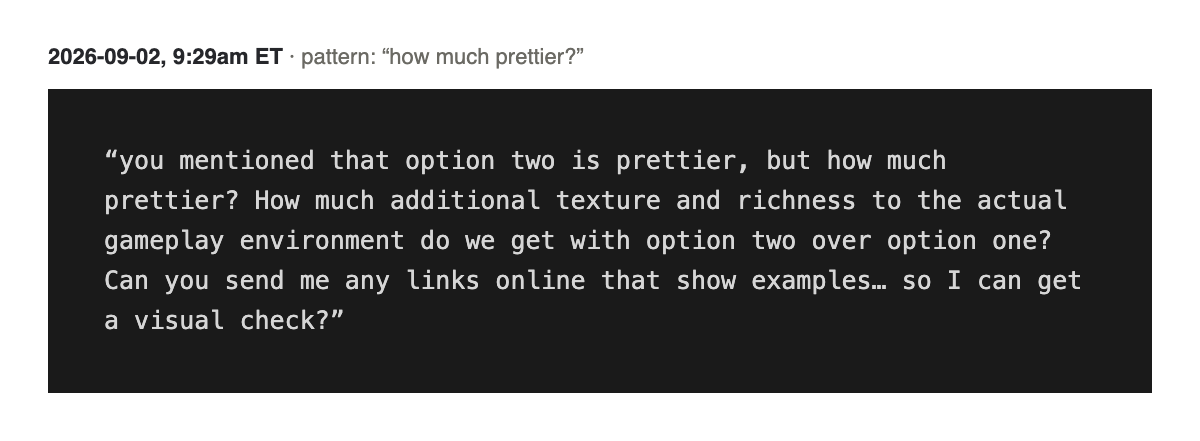
Make it quantify. "you mentioned that option two is prettier, but how much prettier? Can you send me any links online that show examples... so I can get a visual check?" Vague praise gets you nothing to act on. A number, or a side-by-side link, does.
Codify everything before building on it. After a long consult about buying Liam, in a separate chat, I said: "codify everything ive given you, review it, save it properly to our files." That one line is where the project's permanent asset-buying rules came from, instead of living in one throwaway conversation.
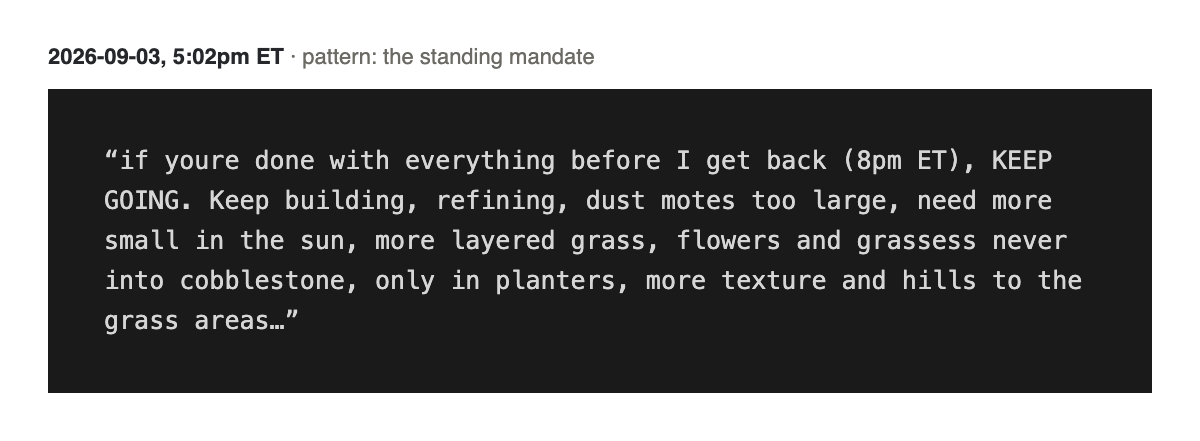
Leave standing instructions for unattended stretches. "if youre done with everything before I get back (8pm ET), KEEP GOING." When I got back at 8, five items on that list had landed and been committed, two more were halfway, and the agents were still going.
Give numbered, itemized playtest feedback. My longest message was 20 numbered points after one build, mixing visual notes ("more gold and bronze in the highlights") with exact bug repros ("I hit spacebar jump at same time while holding the run forward key, the jump does not work... Requires rapid double spacebar click to get an actual jump").
Gate spend on seeing the current thing work. "before I buy anything else I want to see the course complete and have liam run the course." A recurring line, every time a new purchase got tempting.
Name which model does which job. "dispatch as many agents as needed... can be sonnet, opus for some of the other things, fable for all final decisions, synthesis, design." Cheaper models for legwork. The strongest reasoning for calls that mattered.
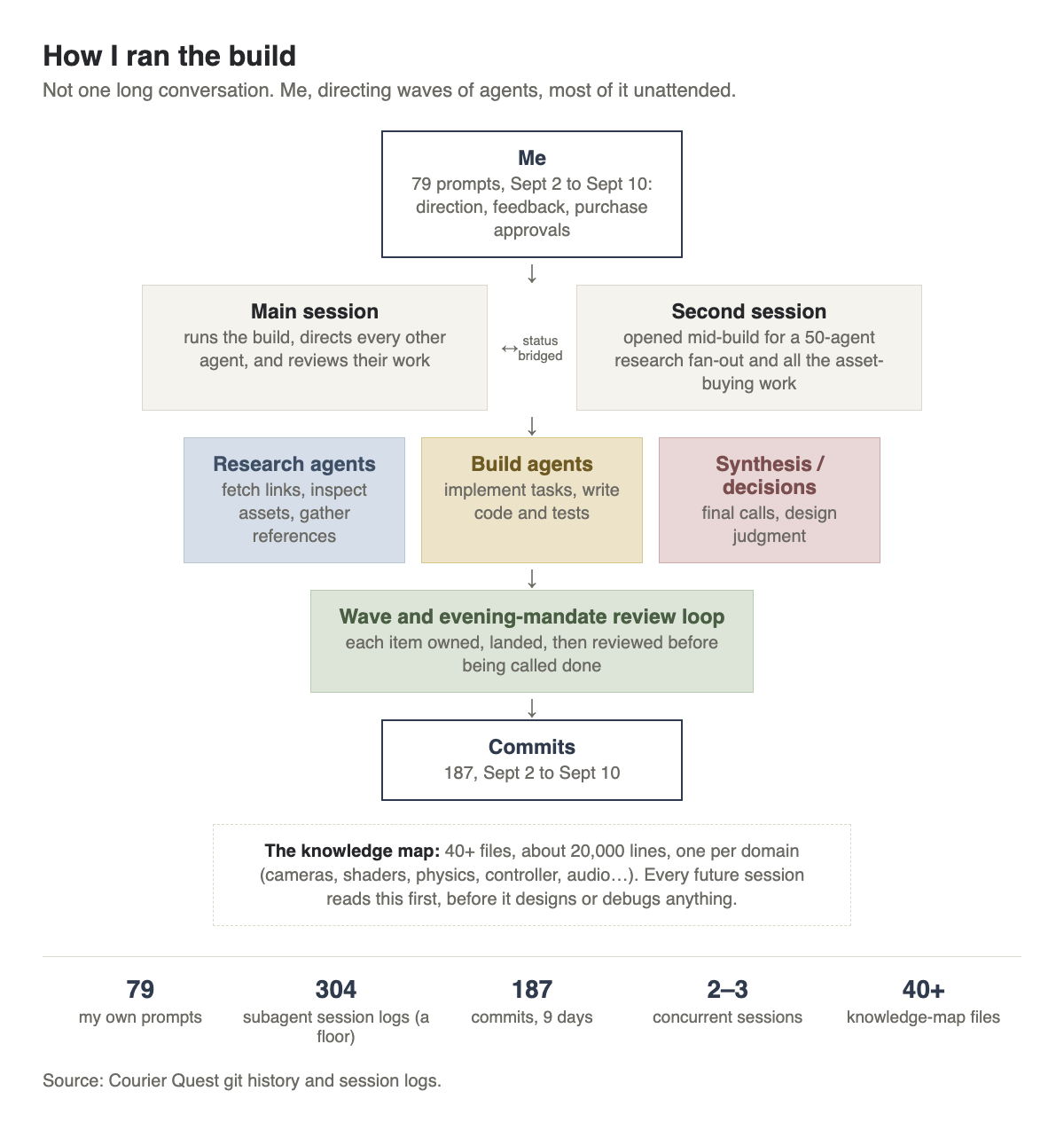
I also ran two Claude Code sessions at once for a stretch. One kept building the scene. The other researched vocabulary and handled every asset purchase. I bridged them by hand whenever one needed to know what the other had just done.
The numbers, for what it's worth: 79 prompts I typed. Roughly 13 hours of my own active attention. 304 separate agent runs behind those prompts. 187 commits. Around 20,600 lines of actual game code. 55 automated unit tests, plus 19 browser tests that play through the game itself and check nothing broke. A 40-file internal glossary the agents could check instead of guessing.
10. What would this have cost?
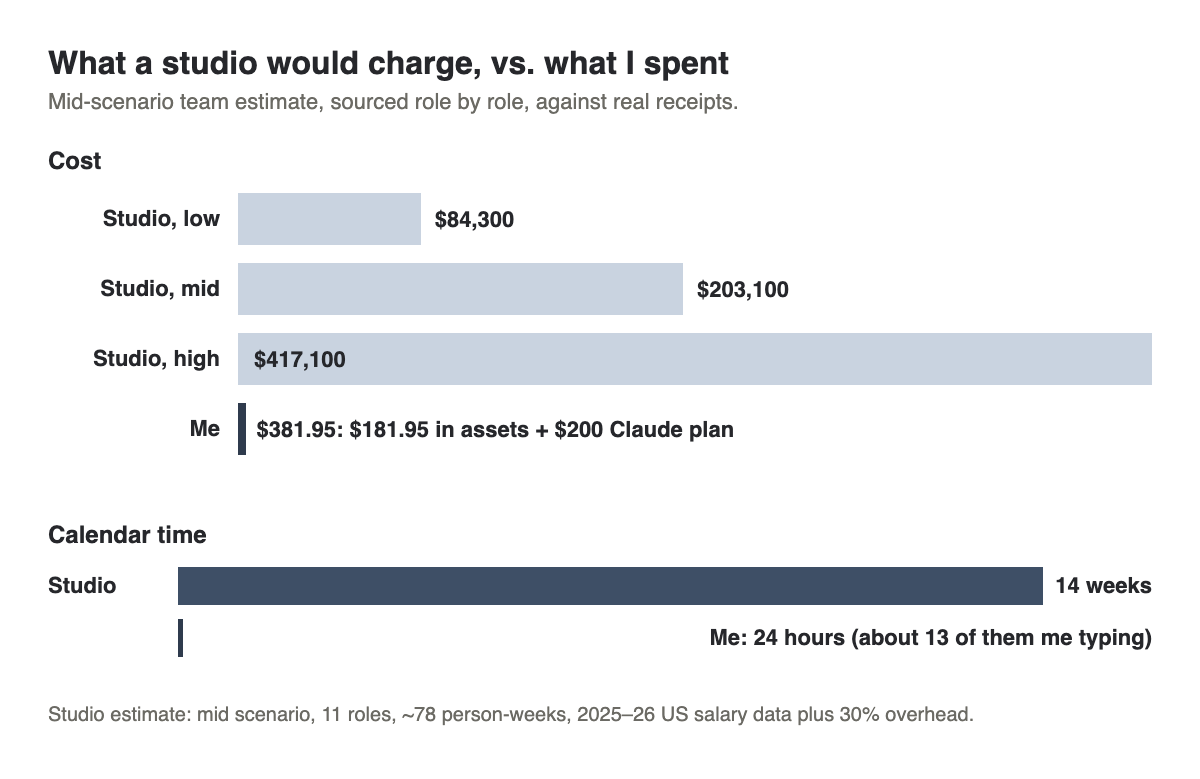
I asked what a studio would actually bill for a slice this size: one finished course corner, one rigged and animated character, a working parkour controller, a full WebGPU rendering pipeline, and 32 purchased or free assets, integrated and tested. Middle estimate: roughly $203,000 and 14 weeks, across about 11 part-time roles (producer, gameplay programmer, rendering programmer, technical artist, environment artist, animator, level designer, UI designer, QA, audio, plus review cycles). The range runs from about $84,000 on the lean end to about $417,000 for a senior, fully-staffed team.
What I actually spent on assets: $181.95:
- 20-house medieval building pack: $49.00
- Rope-climbing animation pack: $34.99
- Ladder-climbing animation pack: $24.99
- Low-poly stone fountain: $24.00
- Liam, the courier character: $12.00
- Medieval village building kit (Pro): $9.99
- Stylized nature kit (Pro): $9.99
- Wooden scaffolding kit: $8.99
- Medieval town-house kit (160 pieces): $8.00
Everything else (more kits, textures, sky photos, the music) was free and public-domain. Add my $200 Claude subscription and the total is $381.95. Calendar time: 24 hours.
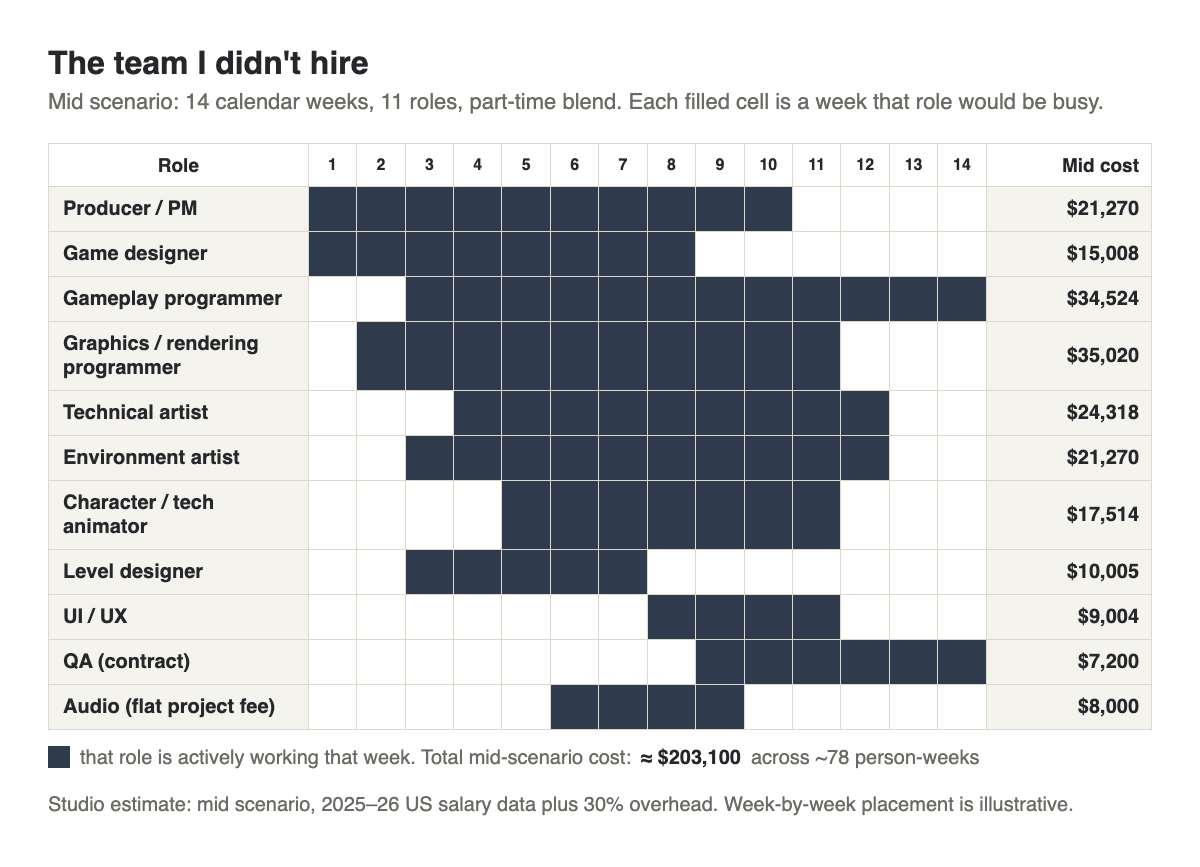
Three honest caveats, because I don't want to overstate this. This is one corner of one course: no missions, no dialogue, no voice, no accounts, none of the content a shipped game needs. A studio's $203,000 buys real process along with the features: cross-platform QA, accessibility passes, localization, and a support plan after launch, none of which exist here. A solo builder with an AI agent produces a vertical slice in a day; a studio's 14 weeks buys repeatable discipline instead, in playtesting cycles, certification, and localization QA that a slice this size doesn't need yet, but a real launch would.
11. What I learned
The vocabulary was the actual skill being built here, not the code. Claude wrote nearly every line; the taste, the "no, still too flat," the "how much prettier," those were mine the whole way through. Typing was Claude's job. Judgment stayed mine.
If you've only pointed this tool at what you already know, you're leaving the bigger lesson on the table. Pick something you have zero vocabulary in this month, and build the smallest real thing you can in it.
Try this week: learn a foreign domain in one evening
You don't need a game idea. You need one domain you know nothing about and one small, concrete thing to make in it by the end of the night.
Step 1. Pick the domain and the target. Something you've never touched: woodworking, a new instrument, a legal filing, a spreadsheet model for a business you don't run. Pick one small, finishable thing inside it: not "learn woodworking," but "design one simple shelf I could actually build."
Step 2. Get the vocabulary map first. Before you ask for anything else, ask Claude to teach you the field's own words.
I know nothing about [domain]. Before we build anything, give me a taxonomy of this field
for a total beginner: the 15-25 terms someone working in it says every day, grouped into
categories, each with a one-sentence plain-English definition and one concrete example of
where it shows up. Flag which 5 of these I need before I can describe what
I want.
Step 3. Ask for a recommended approach, and make it quantify the tradeoffs. Don't accept "here's a good option." Ask for the comparison.
Given what I want to make ([your small target]), recommend the simplest realistic approach
and name one serious alternative. For each, tell me concretely how much better or worse the
result would look or work, with a specific example I could picture or a link I could look at.
I want a number or a comparison, not an adjective.
Step 4. Ask for the smallest thing that proves the look and feel. One scene, one page, one shelf sketch, not the whole project. Getting one small piece right tells you fast whether the whole approach is worth continuing.
Step 5. Play-test it and give numbered feedback. Look at what came back and write a real, itemized list: what's wrong, what's close, what you want changed. Number it. Specific beats polite every time.
Step 6. Codify what you learned before you stop. End the session with: "codify everything from this session into a file the next session should read first, including every decision we made and why." Future you starts smarter next time.
That's it. One evening, one small thing, in a domain where you don't yet know the words. That gap is exactly where the tool teaches you the most.
If you want a guided version of this, with a real instructor instead of a trial-and-error evening: see our upcoming workshops, including the Claude Code for Beginners Workshop on October 20, a full day building a real project from an empty folder instead of watching slides.